
CRM for Professional Services That Works
Block-based design system
A missed follow-up rarely stays a small problem in a professional service business. It turns into a delayed quote, a confused schedule, an overbooked technician, or a project that starts without the right information. That is why crm for professional services needs to do more than store names and email addresses. It should give your team one clear system for managing client relationships and the work that follows.
For firms that sell expertise, time, and service delivery, the gap between sales and operations is where a lot of profit disappears. A traditional CRM may help track leads, but it often stops short when the job needs to be scheduled, delivered, monitored, and reported on. Professional service companies usually need more. They need a system that connects customer management with daily execution.
Why crm for professional services is different
Professional services run on coordination. A sales rep closes a new client, an office manager schedules the work, a field or technical team performs the service, and leadership needs visibility into timelines, status, and performance. If those steps live in different tools, the handoff points create friction.
That is the core difference with crm for professional services. The CRM cannot be isolated from operations. It has to support the full working relationship, from the first inquiry to project completion and post-service follow-up.
This matters even more for small and mid-sized businesses. Large enterprises can afford disconnected systems, consultants, and long implementation cycles. Most growing service businesses cannot. They need software that works quickly, is easy to adopt, and gives the team immediate control without adding technical overhead.
What a professional service business actually needs
A useful CRM for this market should start with strong customer and sales management, but that is only the baseline. Once a deal moves forward, the system should continue supporting the business instead of forcing the team into spreadsheets, calendar workarounds, and separate project tools.
Client records should hold more than contact information. Teams need service history, notes, quotations, assigned staff, project details, and scheduling context in one place. If a technician, account manager, and office coordinator all need the same client data, they should not have to search across multiple platforms.
Scheduling is another major requirement. In many professional service businesses, revenue depends on putting the right person in the right place at the right time. A CRM that cannot support appointments, technical scheduling, or resource coordination creates extra admin work the moment a sale is won.
Project tracking also matters. Not every service business runs long projects, but most have deliverables, milestones, tasks, or ongoing service obligations that need oversight. Without visibility, managers end up reacting late instead of managing proactively.
Reporting is where the value becomes obvious. Owners and operations leads need to know what is in the pipeline, what has been scheduled, what work is complete, and where bottlenecks are forming. If reporting depends on manual updates from different systems, the data is usually incomplete by the time it reaches decision-makers.
The cost of disconnected tools
Using separate apps for CRM, scheduling, attendance, product records, and project tracking may seem manageable at first. Each tool might solve a narrow problem. The issue shows up in the handoffs.
A salesperson updates one system, operations copies details into another, and the service team works from a third source of information. That duplication wastes time, but the bigger cost is inconsistency. Teams start working from different versions of the truth.
This also affects the customer experience. Clients do not care which department owns the information. They expect every person they speak with to have context. When your systems are fragmented, customers notice repeated questions, missed updates, and slower response times.
There is also a management cost. Leaders spend too much time chasing status updates instead of improving performance. When visibility is poor, planning becomes reactive. Hiring, scheduling, and revenue forecasting all get harder.
What to look for in a better system
The strongest choice is usually not the platform with the longest feature list. It is the one that fits how your business actually runs. For professional services, that often means choosing an all-in-one system over a sales-only CRM.
Look first at how the platform handles the full client lifecycle. Can it manage leads and opportunities, then carry that information directly into scheduling, service delivery, and reporting? If not, your team will still be stitching processes together manually.
Cloud access should also be a priority. Office staff, managers, sales teams, and technical teams need access from wherever work happens. A modern system should remove the need for local servers, special hardware, and complex setup. If software requires heavy infrastructure before your team can start using it, adoption tends to slow down.
Ease of use is just as important as feature depth. A powerful system that people avoid is not a productivity tool. It is an expensive workaround. Small and mid-sized businesses usually benefit most from software that feels structured without feeling technical.
It is also worth checking how the platform supports internal accountability. Attendance reporting, task visibility, and real-time updates can make a major difference in service businesses where timing and coordination affect margins.
Where many CRMs fall short
A standard CRM is often designed around sales pipelines first and everything else second. That works well for businesses where the transaction ends after the deal is signed. It is less effective for companies where fulfillment is the core of the business.
For example, a consulting team may need to track project progress after the contract is approved. A technical service company may need to assign field staff, monitor attendance, and keep a record of products used during service delivery. A maintenance business may need recurring schedules, status visibility, and coordinated client communication.
If the CRM cannot support those workflows, the business ends up buying more tools. At that point, the CRM becomes one more isolated application rather than the control center it should be.
This is why businesses evaluating software should ask a practical question: does this platform help us run work, or does it only help us sell work?
A more practical model for growth
Growth in professional services is usually not limited by lead volume alone. It is often limited by operational capacity, consistency, and coordination. You can generate more demand, but if scheduling breaks down or projects lose visibility, growth creates more strain than progress.
That is why a practical CRM strategy combines revenue management with operational control. When customer records, sales activity, scheduling, project tracking, product management, and reporting live in one system, teams can move faster with less confusion.
This approach also improves onboarding. New staff learn one platform instead of a patchwork of disconnected tools. Managers can standardize processes more easily. Business owners gain a clearer view of performance without relying on manual reporting.
For many small and mid-sized firms, the real advantage is simplicity. An integrated system reduces the number of moving parts your team has to manage each day. That translates into faster response times, better internal alignment, and more predictable service delivery.
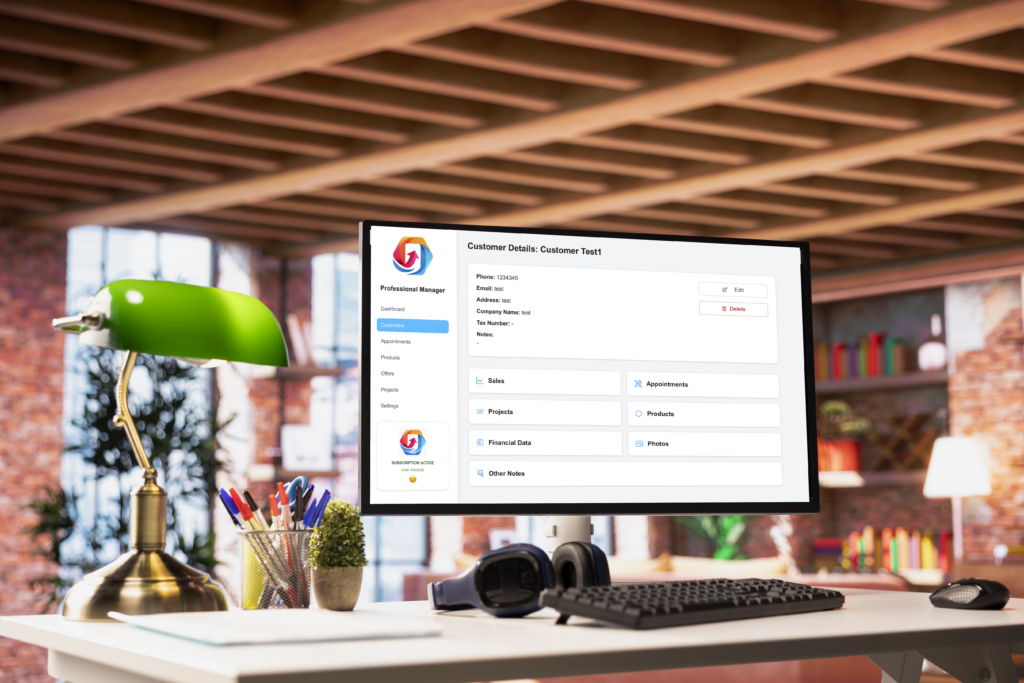
A platform like Professional Manager reflects that model well by combining CRM and business operations into one cloud-based environment. For teams that need client management and day-to-day administration in the same system, that structure is often more useful than a standalone CRM.
Choosing crm for professional services with the right mindset
The best buying decision usually comes from looking at daily work, not just software categories. Start with your current friction points. Are leads getting lost after the first contact? Is scheduling disconnected from customer records? Are projects hard to monitor? Does leadership lack timely reporting? Those answers will tell you more than a generic feature comparison.
It also helps to think about adoption early. A system only improves performance if the whole team uses it consistently. That means setup should be straightforward, navigation should make sense, and mobile or web access should be available where work happens.
Price matters, but total complexity matters too. A lower-cost tool that forces your team into extra admin work may cost more over time than a premium platform that keeps everything centralized. The trade-off is usually between short-term software savings and long-term operational efficiency.
The right CRM should give your business more control, not more maintenance. It should help your team track customer relationships, execute work with clarity, and make decisions from real data instead of guesswork.
When professional service businesses simplify the way they manage clients and operations, they usually do not just save time. They create the capacity to deliver better work, respond faster, and grow without adding chaos.